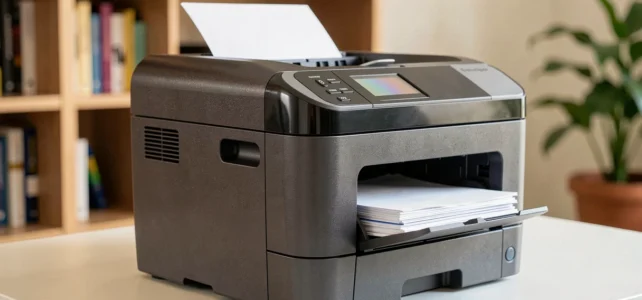
The Brother MFC-L3770CDW is a color laser multifunction printer that combines printing, copying, scanning, and faxing in a single device. Aimed at small offices and freelancers, it focuses on wireless connectivity and automatic duplex printing to meet everyday needs without multiplying peripherals.
Color LED Technology and Real Print Quality
Brother markets the MFC-L3770CDW as a laser printer, but the mechanism actually relies on color LED technology. The difference lies in the light source that exposes the drum: a bar of LED diodes replaces the traditional laser beam. In practice, this allows for a more compact mechanism and fewer moving parts, which reduces maintenance interventions.
See also : Discover the latest innovations and trends in the world of technology
The black text rendering is sharp, with well-defined edges on standard office paper. Color documents (graphics, tables, presentations) come out with adequate saturation for regular professional use. Solid colors sometimes exhibit a slight visible grain up close, a typical behavior for this price range.
To delve deeper into the technical specifications, the detailed Brother MFC-L3770CDW sheet gathers all the useful specifications and comparisons before purchase.
Read also : The latest trends and must-know news in the world of manga and anime

Automatic Duplex Scanning: The Real Highlight
The automatic document feeder handles double-sided scanning in a single pass. This is a selection criterion often underestimated. Many multifunction printers in this price range require manual flipping of sheets or go through a simulated double-sided scan (the sheet is pulled in, flipped, and then rescanned), which slows down the process and increases the risk of jams.
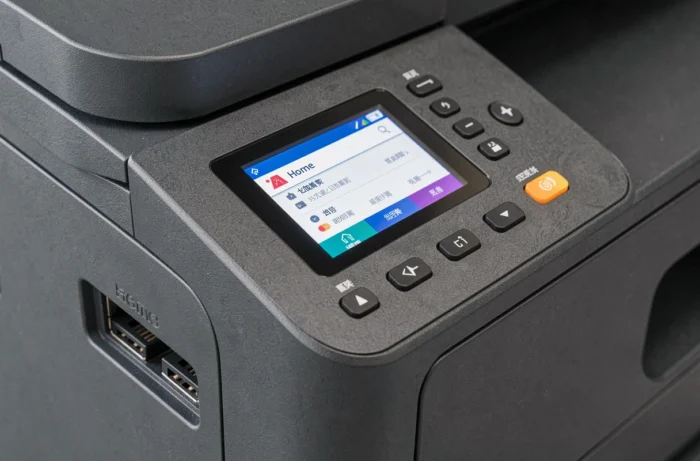
On the MFC-L3770CDW, native duplex scanning allows for scanning contracts, administrative files, or multi-page invoices without intervention. Direct sending via email or to a network folder works through the touchscreen, provided the initial network setup is correct.
A Note of Caution on Email Setup
Several user feedback reports indicate that setting up email sending requires manually entering the SMTP parameters of the mail server. The operation is not intuitively guided by the printer’s interface. For business email accounts that require two-step authentication, the setup may freeze without an explicit error message.
Cost of Brother TN-243 and TN-247 Toners: Long-Term Calculation
The purchase price of the machine reflects only part of the actual budget. Toners compatible with the MFC-L3770CDW come in two versions:
- The TN-243 toners (standard capacity) cover a limited number of pages, suitable for low monthly print volumes.
- The TN-247 toners (high capacity) offer superior yield per cartridge, significantly reducing the cost per page.
- The drum (DR-243CL) is a separate component from the toners, replaced less frequently but with a high unit price.
The choice between TN-243 and TN-247 depends on the monthly volume. For regular use exceeding a few hundred pages per month, high-capacity toners are significantly more cost-effective. Consistently opting for TN-243 out of a purchasing economy reflex paradoxically results in paying more over time.
Wi-Fi, USB Connectivity, and Software Compatibility in 2026
The MFC-L3770CDW offers Wi-Fi, Ethernet, and USB connections. Wi-Fi Direct allows printing from a smartphone without going through a router, simplifying occasional use while on the go or in a coworking space.
One element rarely mentioned in standard tests concerns the longevity of software support. Brother maintains an active download portal for this model, with the latest update dated December 2025. The drivers remain compatible with recent versions of Windows and macOS, meaning the machine is not treated as a discontinued model in terms of support.
Windows 11 Compatibility
Brother has released specific updates to ensure compatibility of its printers with Windows 11. In case of malfunction after a system update (unrecognized USB connection, stalled queue), the recommended procedure is to completely uninstall the existing driver before reinstalling the latest version from the Brother website. This type of manipulation is common with multifunction printers across all manufacturers.
Brother MFC-L3770CDW: Usage Review After Several Years
This multifunction printer remains a coherent choice for an office that regularly prints in color without demanding photo quality. The automatic duplex scanning constitutes its tangible advantage over competitors sold at the same price. Scanning to email and network works well once configured, but the initial setup requires patience.
The cost of consumables warrants prior calculation: favoring high-capacity TN-247 toners significantly reduces the cost per page. Brother’s maintenance of software support until the end of 2025 reassures about the useful lifespan of the device, even though no manufacturer guarantees an indefinite update schedule.